
Google officially expanded its Gemini AI integration for the Chrome browser this Wednesday, launching the tool in India, Canada, and New Zealand. This strategic rollout enables desktop users to leverage a dedicated sidebar to interact with Google’s AI, facilitating real-time content analysis, cross-tab comparisons, and seamless integration with the Google Workspace ecosystem, including Gmail, Drive, and YouTube.
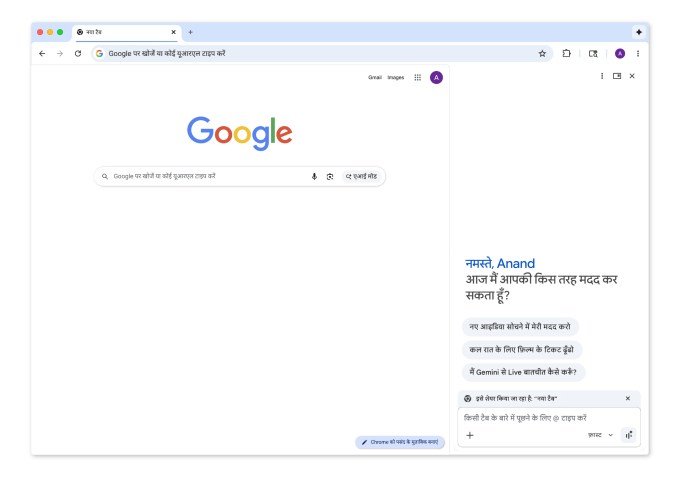
Enhanced Multilingual Support
To ensure accessibility for a broader demographic, the update introduces comprehensive support for several languages beyond English. Users in the newly supported regions can now utilize Gemini in Hindi, Bengali, Gujarati, Kannada, Malayalam, Marathi, Telugu, and Tamil. This aligns with Google’s broader effort to standardize language capabilities across its browser infrastructure.
How to Use Gemini in Chrome
Once the feature is enabled, an “Ask Gemini” icon appears directly on the tab bar. This interface allows for versatile workflows:
- Content Summarization: Generate quick summaries or quizzes based on the webpage currently in view.
- Cross-Tab Reasoning: Users can reference multiple tabs simultaneously, a functionality designed to streamline complex tasks like price comparisons or travel planning.
- Personalized Assistance: By connecting to Gmail, Maps, and Calendar, Gemini can draft emails, summarize YouTube videos with timestamp markers, or manage daily schedules without requiring the user to switch tabs.
Advanced Image Manipulation
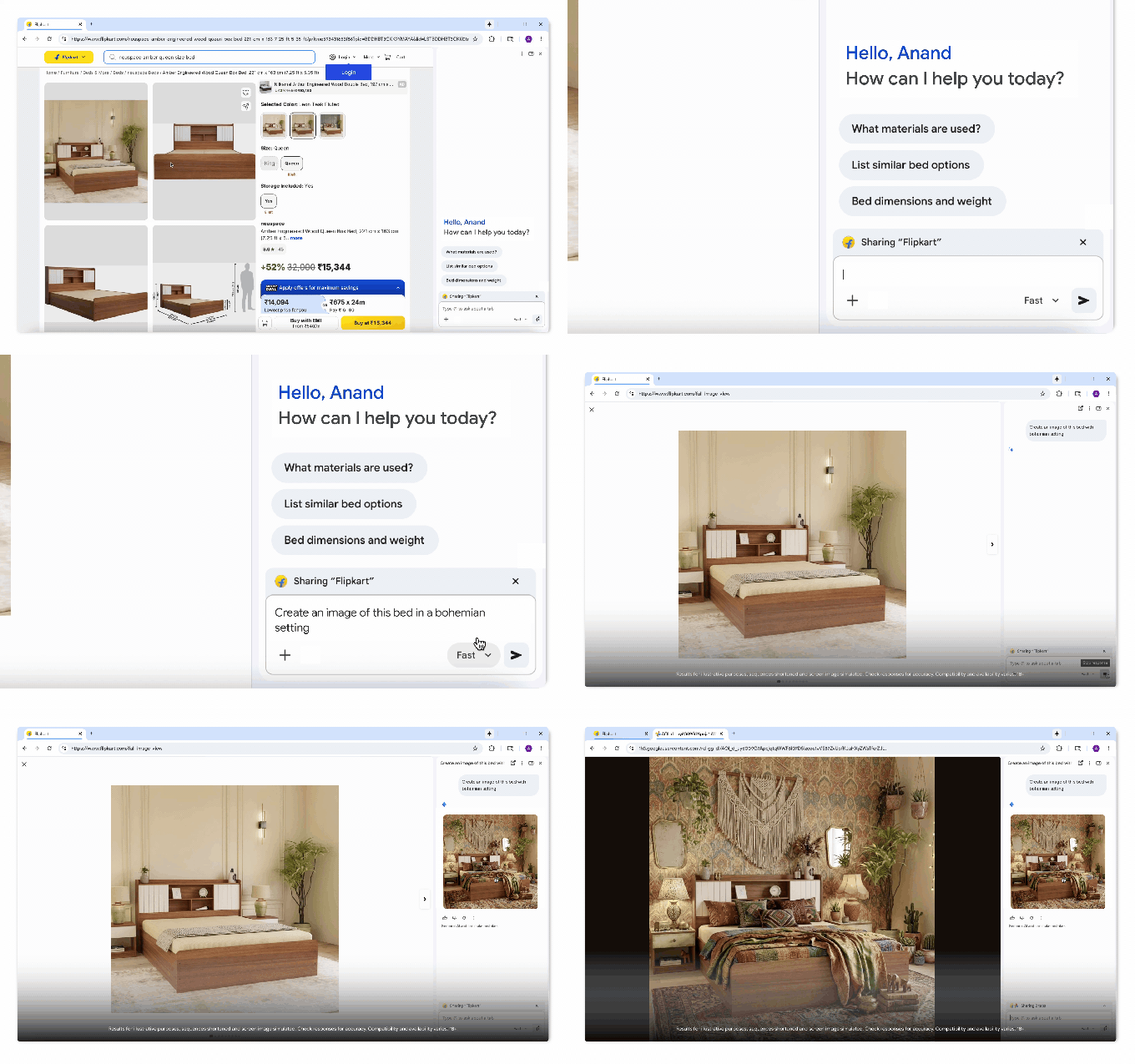
A standout feature of this release is the integration of the “Nano Banana 2” generative AI tool. This utility allows for direct image transformation within the browser. For example, users browsing furniture sites can upload photos of their living space and prompt the assistant to visually simulate how new items would look in their room.
Mobile Expansion and Feature Limitations
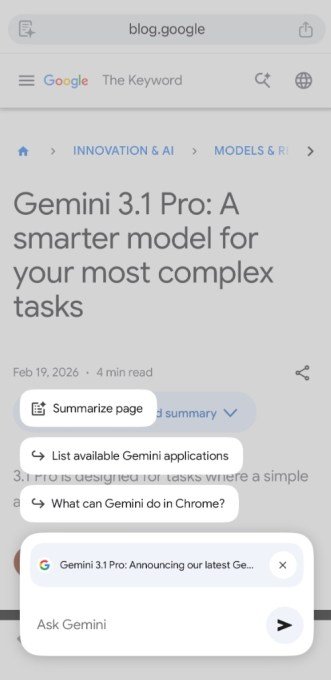
Beyond the desktop experience, Google is extending Gemini support to Chrome for iOS in India. This functionality will be accessible via the page tools icon located in the address bar.
Despite these updates, Google has opted to exclude the advanced “agentic” capabilities—which allow the AI to autonomously navigate the browser and complete tasks on behalf of the user—from this specific expansion. These high-level features remain currently restricted to AI Pro and AI Ultra users based in the United States.