
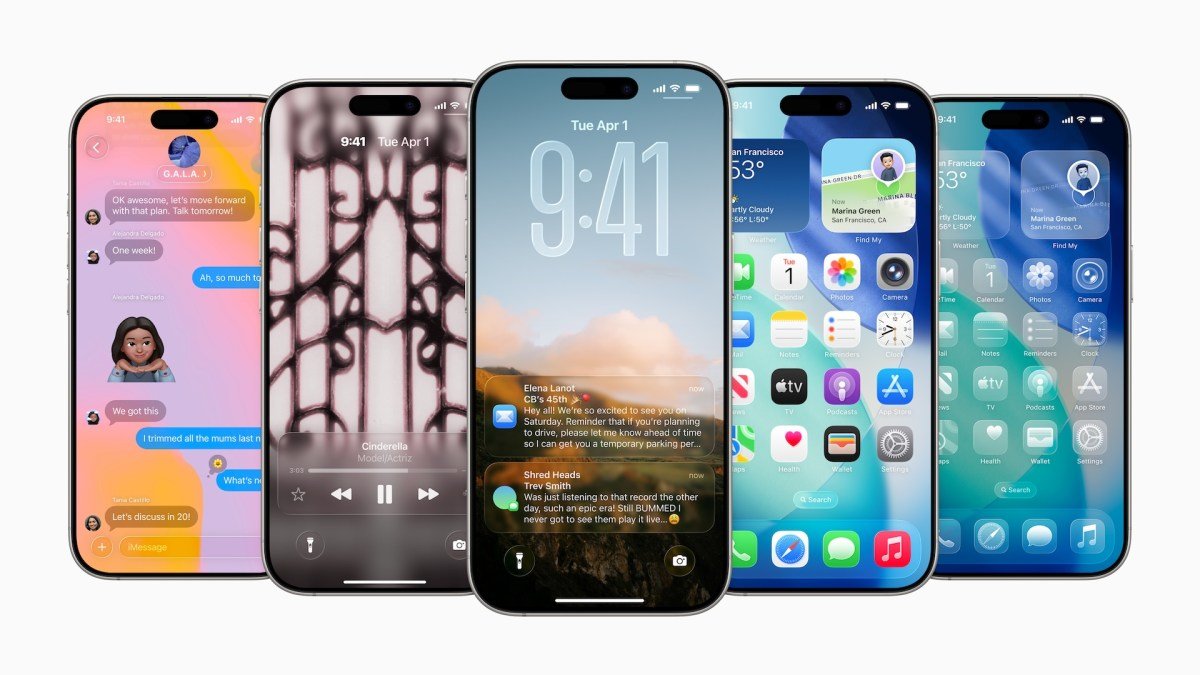
Apple officially kicked off WWDC 2025 this Monday, unveiling a massive suite of software updates led by the introduction of iOS 26. Under pressure to bridge the gap in AI development and address ongoing App Store regulatory challenges, the company focused its keynote on a radical design overhaul and a unified branding strategy across its entire ecosystem.
iOS 26: The Biggest Visual Shift in a Decade
Marking the most significant design evolution since the transition to flat minimalism in 2013, Apple introduced “Liquid Glass.” This new user interface moves away from static textures, favoring shiny, reflective, and translucent elements that mimic real-world glass physics.
The interface is highly adaptive, shifting colors based on the user’s content and environment. Interaction has also been refined: alerts now originate from the exact point of contact, and context menus expand into dynamic, scannable lists, creating a more cohesive feel across the Lock Screen and Home Screen.
A New Era for Apple Naming
In a major shift for brand clarity, Apple is abandoning traditional system numbering. Starting now, all operating systems—including iOS, iPadOS, macOS, tvOS, watchOS, and visionOS—will carry the year of release in their titles, standardizing the lineup as “26” for this cycle.
Centralizing the Gaming Experience
Apple has officially launched a dedicated Games app, designed to serve as a central hub for its gaming ecosystem. Beyond functioning as a game launcher, the app tracks user achievements, displays leaderboards, and introduces robust social integration.
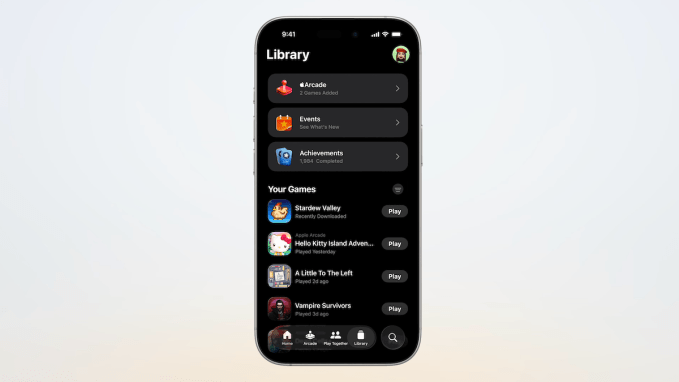
Key social features include a “Play Together” tab for monitoring friend activity and “Challenges,” a new competitive mode for score-based showdowns.
Platform-Wide Overhauls: watchOS, macOS, and More
The “Liquid Glass” aesthetic permeates the entire Apple software portfolio:
- watchOS 26: Features a redesigned interface, new wrist-flick gestures, and an AI-powered “Workout Buddy” assistant.
- Apple TV: Gets a sleeker, unobtrusive UI with faster profile switching upon wake and a new native karaoke feature.
- macOS 26 (Tahoe): Integrates the new visual language and introduces an AI-driven Shortcuts application.
- iPadOS: Bridges the gap between tablet and desktop with a new Preview tool, allowing for advanced markup via Apple Pencil and improved image export flexibility.
- Vision Pro: Receives updates to visionOS, alongside new hardware support for the Logitech Muse stylus and PlayStation VR2 Sense controllers.
CarPlay, AirPods, and Utility Updates
Apple also announced functional upgrades for its peripheral services:
- AirPods: Now support studio-quality audio recording and act as a remote trigger for camera apps.
- CarPlay: Gains widget support, live activities, “tapback” message responses, and the ability to pin favorite conversations.
- Utility Additions: Apple Wallet receives new travel-focused features, iMessage adds built-in polling, and Apple Maps now proactively learns user commute patterns.