
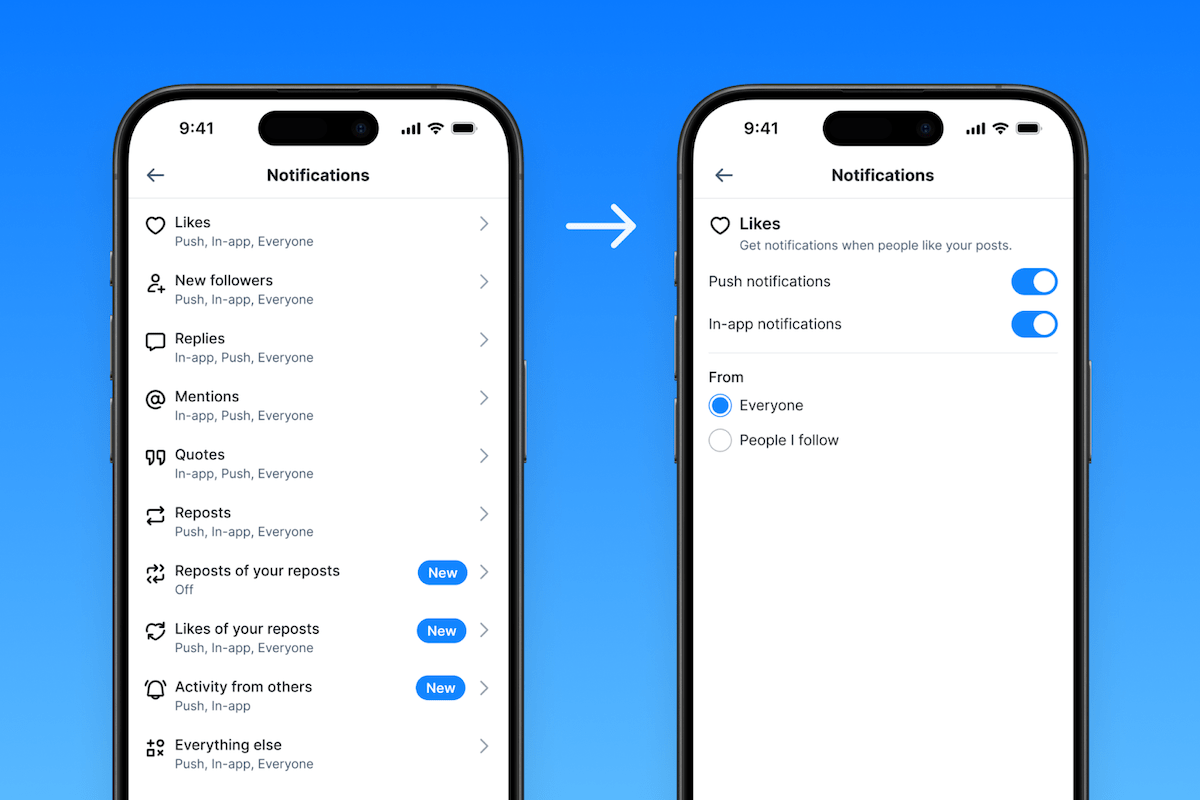
Bluesky officially unveiled three major updates to its notification system this Monday. The platform is empowering users to curate their digital experience, effectively decluttering their feeds and minimizing irrelevant alerts through advanced personalization settings.
Granular Control Over Your Alerts
The latest update introduces a robust framework for managing how you receive updates. Users can now navigate to Settings > Notifications to fine-tune alerts for specific interactions, including mentions, quotes, replies, likes, reposts, and new followers.
For each category, you have the flexibility to filter notifications to include only accounts you follow, everyone, or disable them entirely. Additionally, a new “Everything Else” category captures general alerts, such as verification notifications or updates when someone joins via a Starter Pack.
Enhanced Engagement for Creators
Bluesky has expanded notification triggers to include likes and reposts of your own shared content. This addition is specifically designed to support users who prioritize resharing content, ensuring they remain updated on how their curated posts are performing within the network.
Changes to Priority Notifications
The platform has officially phased out the previous “priority notifications” feature, which formerly restricted alerts to accounts you follow. To replicate this functionality, users must manually update their settings for replies, quotes, and mentions to the “people you follow only” preference.
Real-Time Activity Tracking
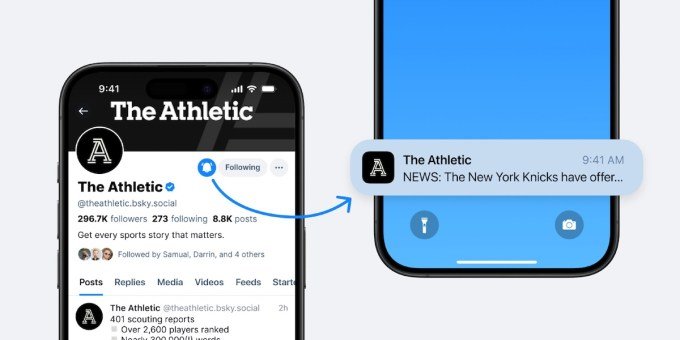
Taking a page from platforms like X and Threads, Bluesky now allows users to track specific accounts. By visiting a profile and tapping the bell icon next to the “Follow” button, you can receive instant alerts whenever that specific account publishes a new post or reply.
Privacy and Limitations
- Management: You can view and remove accounts from your activity tracking list directly within your notification settings.
- Account Restrictions: Account owners retain the right to disable this feature entirely.
- Visibility: Users may also restrict activity notifications to only those they follow, meaning you may not be able to enable alerts for every account you wish to track.