

During the Android Show held this Tuesday, ahead of Google I/O, Google unveiled a robust suite of security and privacy features designed to fortify the Android ecosystem. The updates introduce advanced protections for calls, messaging, screen sharing, and device-level permissions, specifically engineered to combat rising threats like financial scams, unauthorized device access, and physical theft.
Combating Phone Scams and Malicious Apps
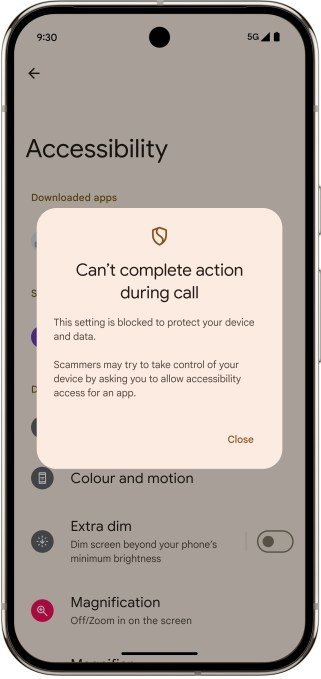
To thwart phone scammers who pressure users into downloading malicious apps or clicking dangerous links, Google is implementing automated warnings and blocking mechanisms for calls from unknown numbers. In Android 16, the system will restrict high-risk actions—such as sideloading unverified apps from browsers or granting accessibility permissions that could allow remote device takeover.
Furthermore, Google is strengthening Google Play Protect. For users on Android 6 or later, the system will prevent the disabling of this critical security layer during active calls, ensuring that real-time scanning for harmful software remains operational when users are most vulnerable.
Enhanced Screen Sharing and Fraud Prevention
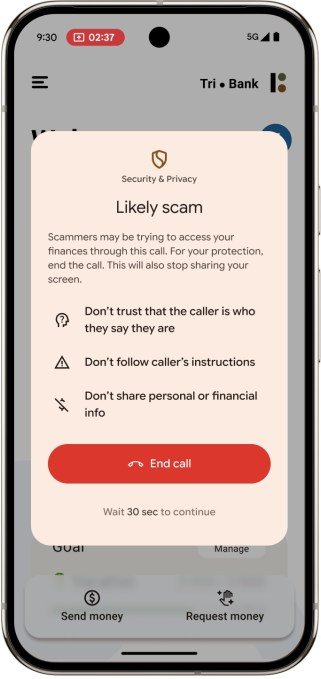
Google is introducing proactive screen-sharing alerts to remind users to terminate sharing sessions once a call concludes. A pilot program is also underway in the U.K. in collaboration with select banks. For devices running Android 11 or later, the system will detect when a user opens a partner banking app while sharing their screen with an unknown contact, triggering a warning screen with a one-tap option to disconnect immediately.
AI-Powered Message Security
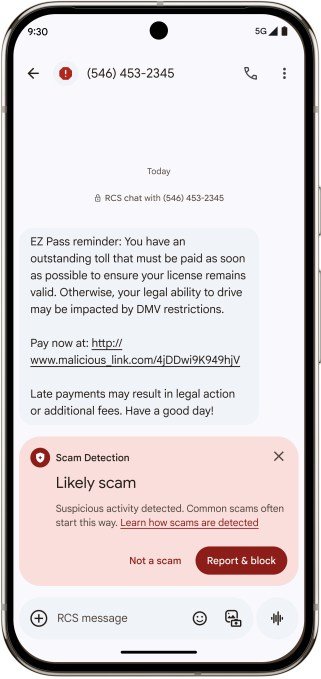
Google Messages is receiving a significant upgrade to its on-device AI scam detection. Beyond initial capabilities, the tool now identifies a broader spectrum of fraud, including cryptocurrency schemes, gift card scams, fraudulent toll road and billing fees, and technical support impersonation.
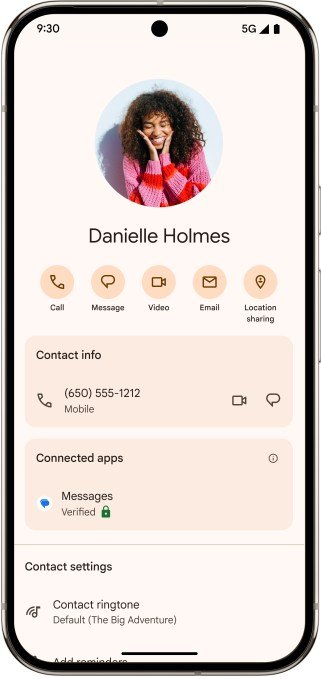
Additionally, Google is introducing verification keys in the Google Contacts app. This allows users to authenticate contacts via QR codes or numerical matching. If a device is compromised via a SIM swap attack, the system will mark the conversation as “unverified,” alerting the user to potential impersonation. This feature will roll out for Android 10+ devices later this summer.
Advanced Theft Protection
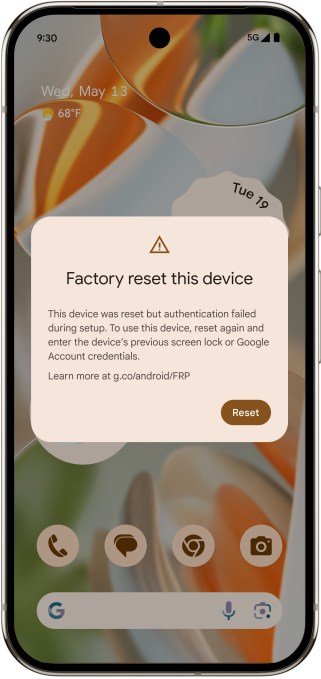
Building on the current Identity Check protection, Google is expanding biometric requirements for sensitive actions—such as changing PINs or disabling theft protection—to all devices running Android 16. The company is also enhancing Factory Reset protections; devices will now require the original Google account credentials or lock pattern to function after an unauthorized reset, rendering stolen hardware virtually useless to thieves.
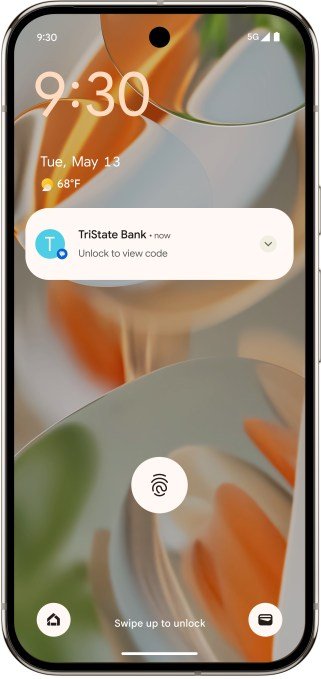
To further secure sensitive data, Android 16 will automatically hide one-time passwords (OTPs) on the lock screen if the device is not connected to Wi-Fi and hasn’t been recently unlocked. New security challenges are also being added to prevent remote locking of devices by unauthorized parties.
Expanded Threat Detection
Google Play Protect is receiving a new set of on-device rules to identify malicious apps that attempt to obscure their presence by hiding or modifying icons. This feature will arrive in the coming months for Pixel 6 and newer devices. The company is also updating its Advanced Protection Mode for public figures and launching a new “Find My Hub” to streamline tracking for personal items, friends, and family members.