Cybercriminals are increasingly targeting individuals to compromise bank accounts, steal cryptocurrency, or gain unauthorized access to private data. While such breaches remain relatively uncommon for the average user, knowing how to audit your security is essential. If you suspect your email, social media, or messaging apps have been compromised, you must take immediate action to regain control.
It is important to note that the methods below do not guarantee 100% security. If you are a high-risk individual—such as an activist, journalist, or someone in an abusive relationship—you should contact professional support, such as the Access Now digital security helpline.
Proactive Security Measures
Before checking for breaches, ensure you have enabled multi-factor authentication (MFA) across your most critical accounts, including email and banking. You can use resources like the MFA directory to find setup instructions for over 1,000 services. Furthermore, physical security keys or passkeys are now the gold standard for preventing phishing and malware-based account takeovers.
Gmail: Monitoring Account Activity
If you suspect unauthorized access to your Google account, scroll to the bottom of your Gmail inbox and click “Details” next to “Last account activity.” This displays a list of all active sessions.
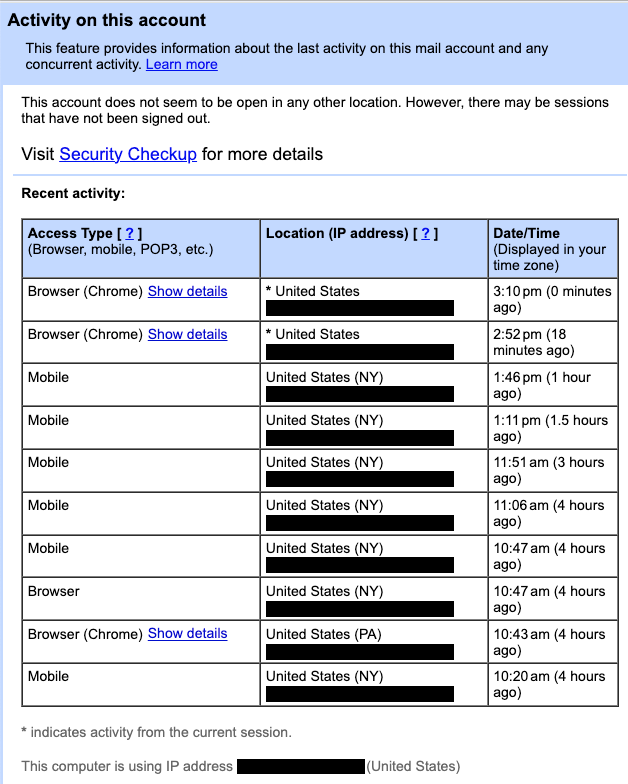
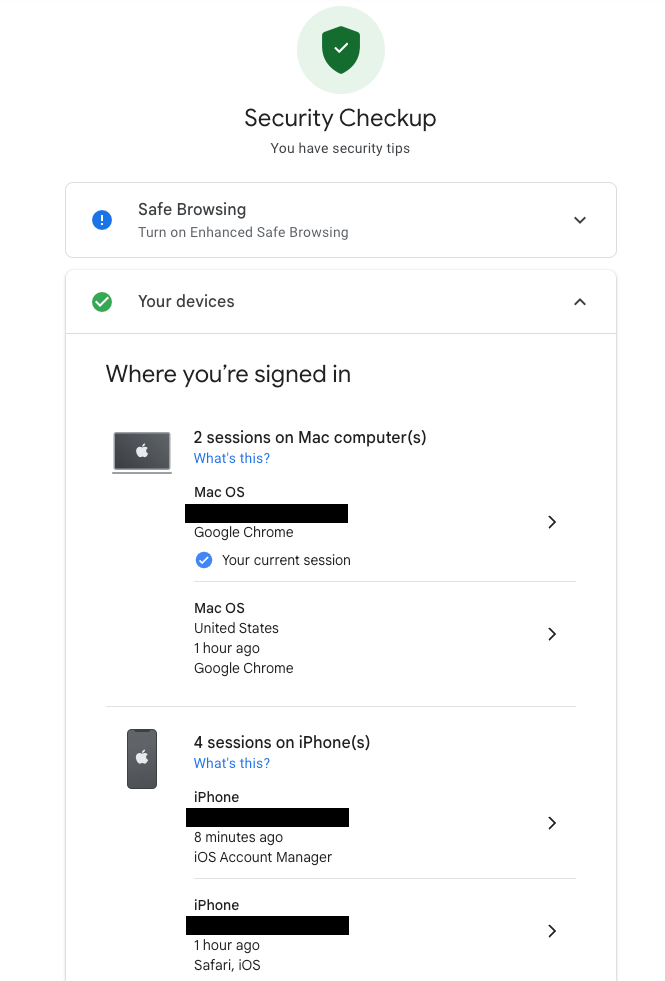
If you spot an unrecognized location or device, navigate to the Google Security Checkup. This page allows you to view active devices and recent security events. If you detect suspicious activity, change your password immediately. This action will force a logout on all devices, except those used for verification. To manage third-party app access, consult the Google Support page.
Microsoft Outlook: Reviewing Sign-in Logs
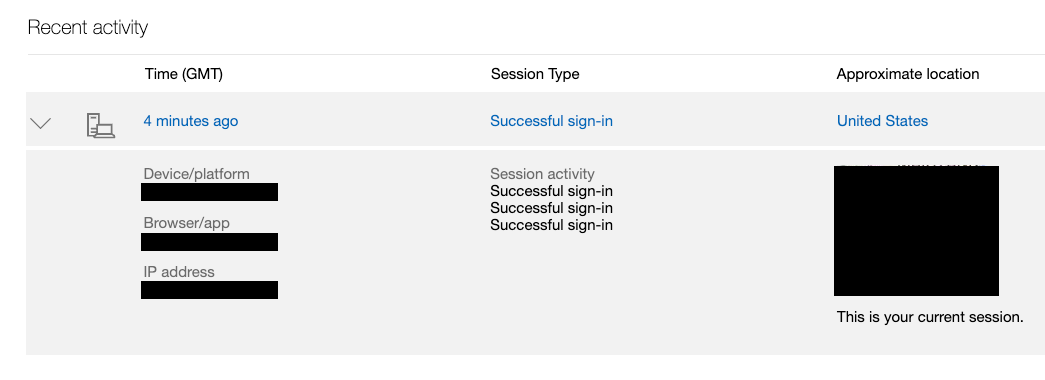
Microsoft allows users to audit account access via the Recent Activity page. Navigate to your Microsoft account security settings to view a detailed log of logins, including the browser type, platform, and IP address used.
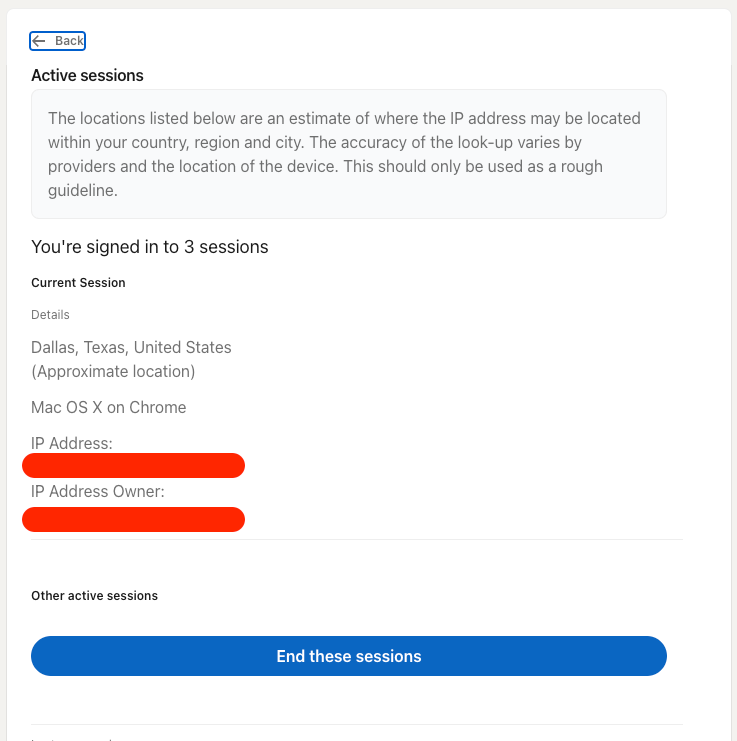
LinkedIn: Managing Active Sessions
LinkedIn provides a dedicated page to monitor active sessions. If you spot an unfamiliar login, you can terminate that specific session or “End all sessions” to force a logout across all devices.
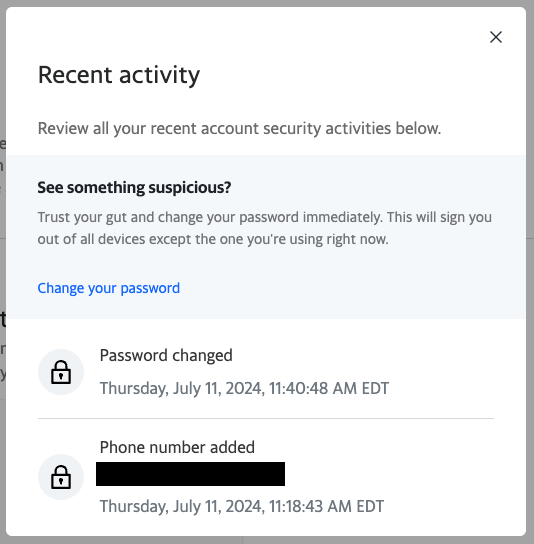
Yahoo: Reviewing Account History
Yahoo users can check their recent activity log via the “Manage your account” section. This tool displays password changes, added phone numbers, and a list of connected devices with their respective IP addresses.
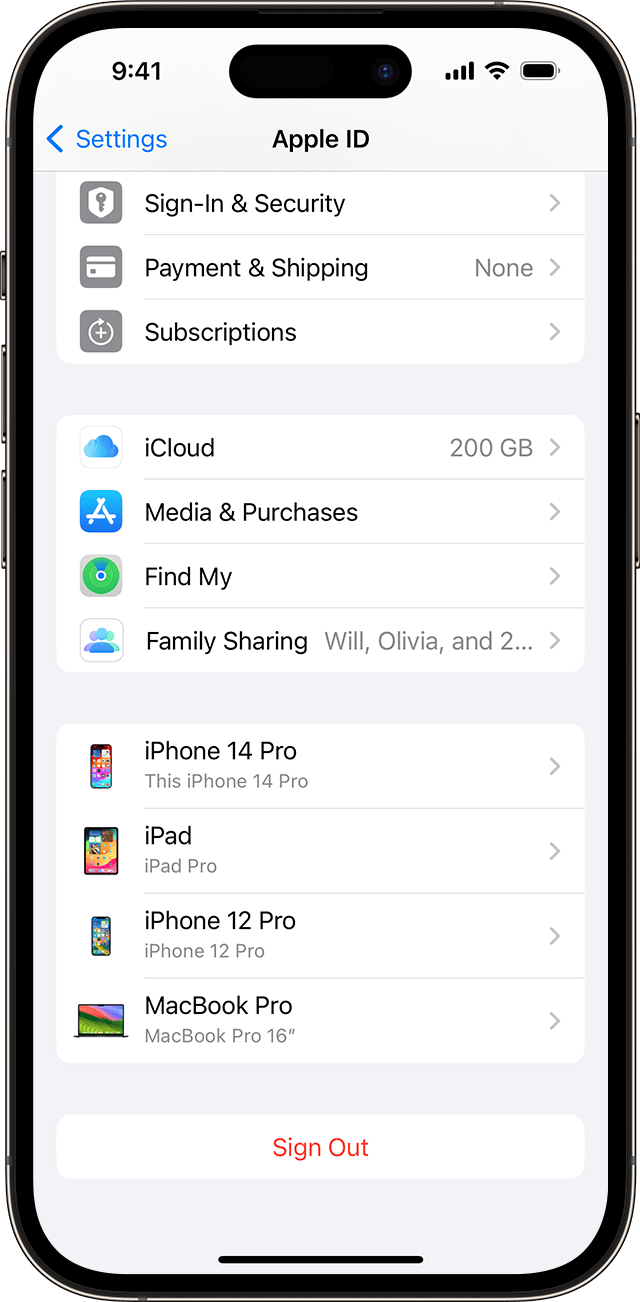
Apple Account: Device Auditing
Apple makes it easy to track logged-in devices directly through iOS or macOS system settings. By selecting your name in the settings menu, you can see a list of every device currently signed into your Apple Account. You can also manage these devices via the web portal.
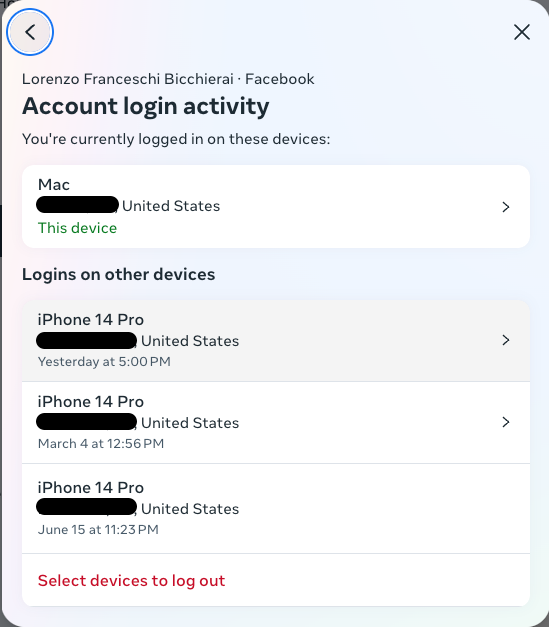
Facebook and Instagram Security
Both platforms share a centralized “Account Center.” Under the “Password and Security” settings, you can view the “Where you’re logged in” tab. This interface allows you to remove access from any unrecognized device or session.
WhatsApp: Checking Linked Devices
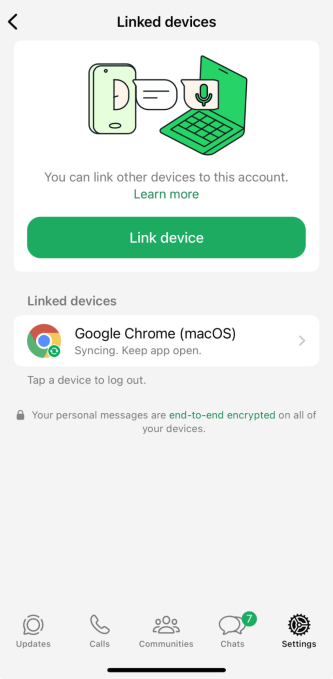
To verify if your WhatsApp is safe, open the app, go to “Settings,” and select “Linked devices.” This will display any browser or desktop client currently connected to your account. If you see a device you do not recognize, tap it to log out immediately.