
Amazon-owned device maker Ring has officially introduced Ring Verify, a new security feature designed to detect whether video footage has been altered, edited, or manipulated. Launched this Thursday, the tool provides users with a reliable way to authenticate shared video clips, effectively acting as a “tamper-evident seal” for digital evidence.
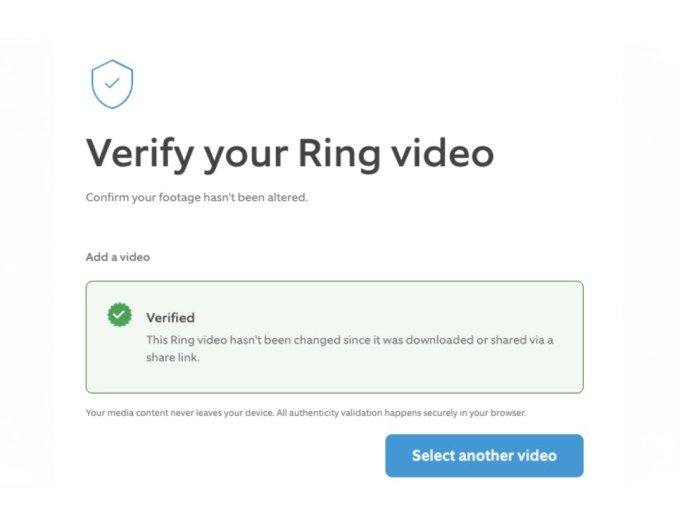
How Ring Verify Works
The system functions similarly to a security seal on a medicine bottle. According to the company’s official announcement, any modification to a video file—ranging from simple brightness adjustments and cropping to significant edits—will immediately break the verification seal. This feature is automatically enabled for all videos recorded on Ring devices from December 2025 onward.
It is important to note that a “failed” verification does not automatically label a video as fake. The alert simply indicates that the file has been altered from its original state. For instance, a video might fail verification because it was recorded prior to the December 2025 cutoff or because it was compressed by a third-party social media platform.
Authentication Standards and Limitations
Built upon the C2PA (Coalition for Content Provenance and Authenticity) industry standards, the feature is designed to provide transparency for shared footage. However, there are specific technical limitations:
- End-to-End Encryption: Videos recorded with end-to-end encryption enabled will consistently display as “not verified.”
- Requesting Originals: If a video fails verification, recipients have the option to request an unedited copy directly from the source, a process Ring suggests could be vital for insurance claims or legal documentation.
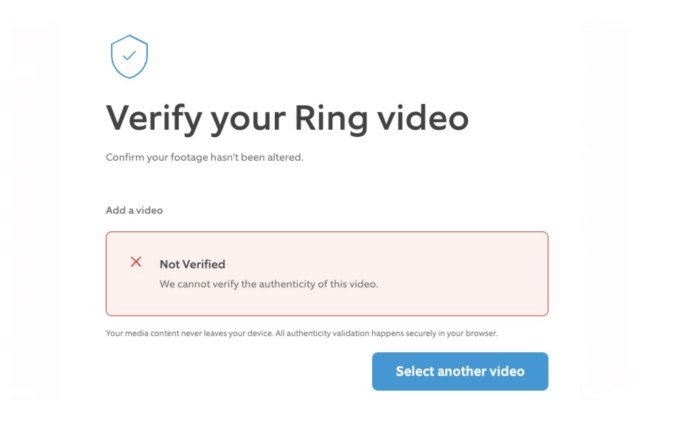
Accessing the Verification Tool
Users can check the authenticity of a clip by visiting the official Ring verification portal. By submitting a video link, the platform provides instantaneous results regarding the file’s integrity.
While the rollout is now active, the company noted that the initial announcement and the accessibility of the verification page were subject to minor delays due to the global Microsoft 365 outage occurring today. Users should ensure they are using the correct URL, as previous internal documentation contained a broken link.