

After 23 years of service, Microsoft has officially retired Skype. The iconic video-calling platform ceased operations on Monday, May 5, 2025. Users must now migrate their data to Microsoft Teams or transition to alternative communication tools to maintain connectivity.
Migrating to Microsoft Teams
Microsoft is positioning Teams as the primary successor for existing Skype users. You can sign in to Teams using your current Skype credentials, triggering an automatic transfer of your contacts and chat history.
While Skype was built for casual use and small groups of up to 20 people, Teams is engineered for enterprise-scale collaboration, supporting up to 10,000 participants. It integrates natively with Office 365, SharePoint, Salesforce, and Trello, while offering superior security protocols. Teams is available for Android, iOS, Mac, PC, and web browsers.
How to Export Your Skype Data
If you prefer not to use Teams, you should export your account data immediately to preserve message history, files, and contact lists. Follow these steps to secure your information:
- Log in to your Skype account.
- Click the three horizontal dots located under your account name in the top-left corner.
- Navigate to Settings > Account & Profile > Your Account.
- Follow the redirection to the web portal to select Export contacts (.csv), Export Caller ID numbers (.csv), or Export files and chat history.
- Click Submit Request and then Continue.
- Download your data once the export process finishes.
Top Alternatives to Skype
Google Meet

Leveraging existing Google accounts makes Google Meet a frictionless alternative. The free tier supports up to 100 participants with screen sharing and recording, though meetings with more than three people are capped at 60 minutes. Businesses can scale via Google Workspace for advanced features like breakout rooms, polls, and AI-powered note-taking via Gemini.
Zoom
Zoom remains a dominant force in web conferencing. The platform offers whiteboards, transcriptions, and meeting recordings. The free version includes a 40-minute limit per meeting; paid subscriptions unlock AI Companion features, which can summarize meetings and answer specific questions regarding recorded sessions.
Webex
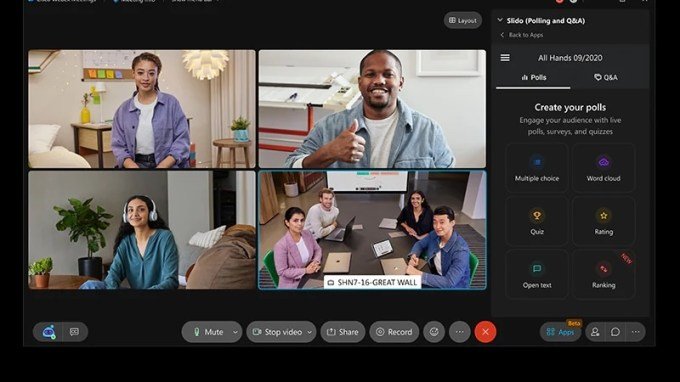
Webex provides a robust suite for professional conferencing, featuring screen sharing and whiteboard tools. Similar to Zoom, its free tier allows 100 attendees but enforces a 40-minute time limit. Paid plans scale to support up to 1,000 attendees and include live polling and AI-driven assistant tools.
Discord
Discord is an excellent choice for smaller teams or personal use, offering unlimited meeting durations. While it is capped at 25 participants, it provides high-quality screen sharing and recording capabilities. It stands out as one of the most cost-effective options for users requiring specific community-building features.
Slack
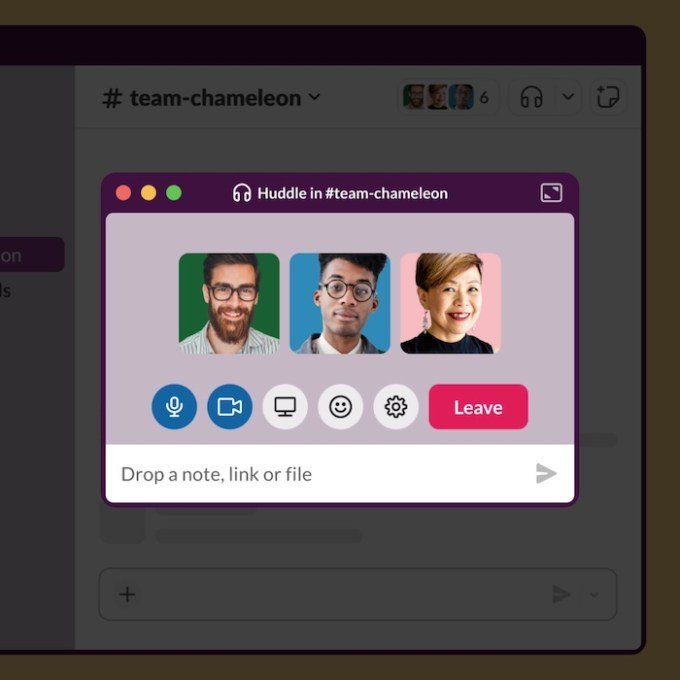
For spontaneous collaboration, Slack Huddles allow users to pivot quickly from text chats to audio or video calls. While the free version limits Huddles to two people, paid plans expand this to 50 participants, making it ideal for agile, communication-heavy teams.
Signal
Signal offers a privacy-focused alternative with support for up to 50 participants. It utilizes a link-sharing model similar to mainstream platforms and is entirely free to use. For mobile-centric users, other viable options for smaller group calls include WhatsApp, Facebook Messenger, and Apple FaceTime.