
Stalkerware and consumer-grade spyware are persistent threats for Android users, covertly monitoring private messages, call logs, photos, and real-time location. Often marketed under the guise of family tracking or child monitoring, these malicious tools are frequently installed without the owner’s consent to facilitate intimate partner surveillance.
These applications typically bypass the Google Play Store, hide their icons from the home screen, and exploit legitimate Android features—such as Accessibility settings—to maintain persistent, unauthorized access to your personal data.
Essential Safety Considerations
Before attempting to remove any suspicious software, prioritize your physical safety. Removing spyware can alert the perpetrator, potentially escalating a dangerous situation. If you are concerned for your safety, consult the Coalition Against Stalkerware for professional guidance. Note that while these steps help remove the surveillance app, they do not erase data already harvested by the attacker.
Enable Google Play Protect
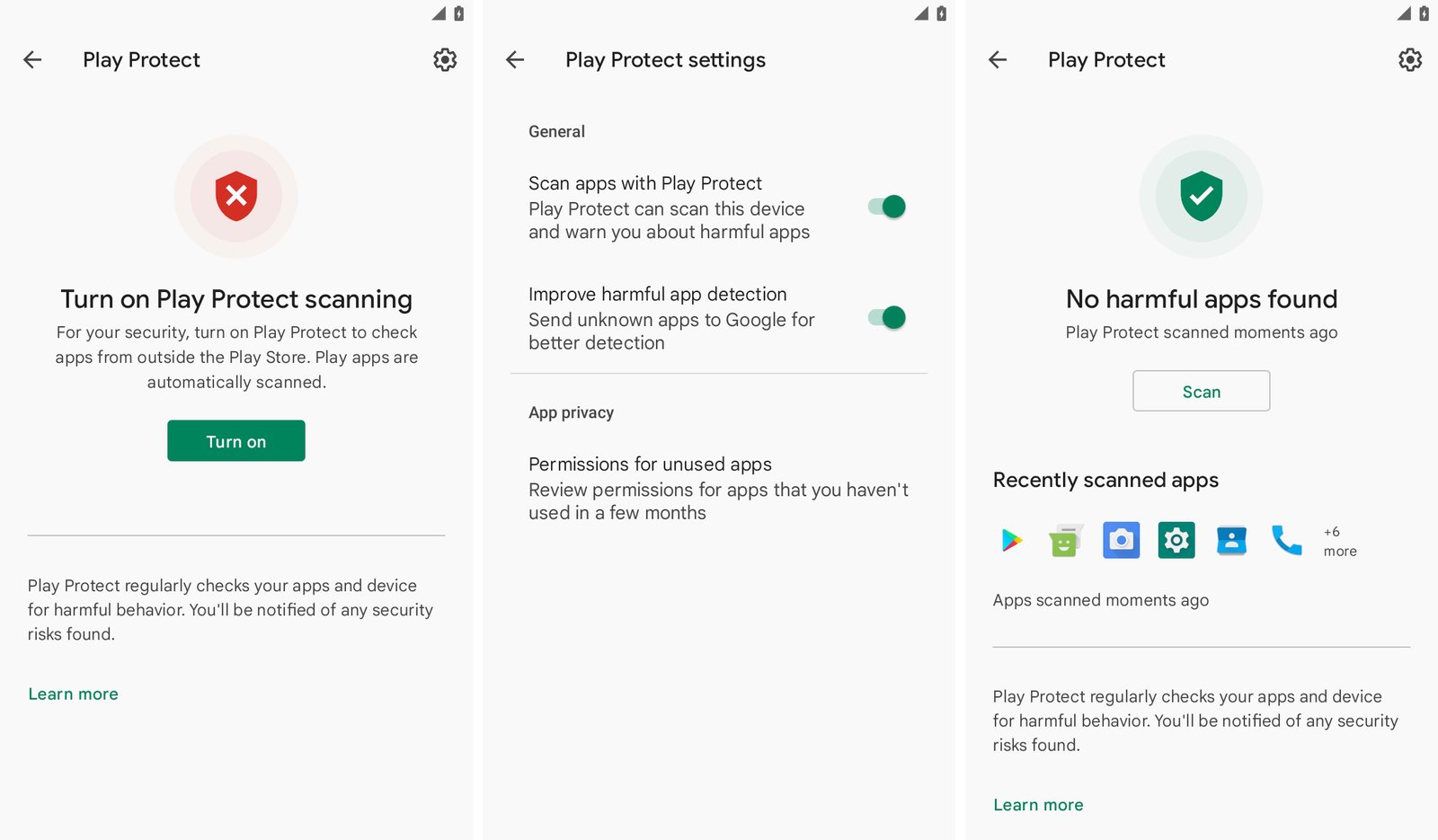
Google Play Protect is a critical security layer that scans your device for malicious activity. Ensure it is active by navigating to the Play Store app settings. Running a manual scan can immediately identify known harmful applications.
Audit Accessibility Services
Stalkerware frequently exploits Android’s Accessibility mode to gain deep control over your operating system. If you do not use specific accessibility features, this list should be empty.
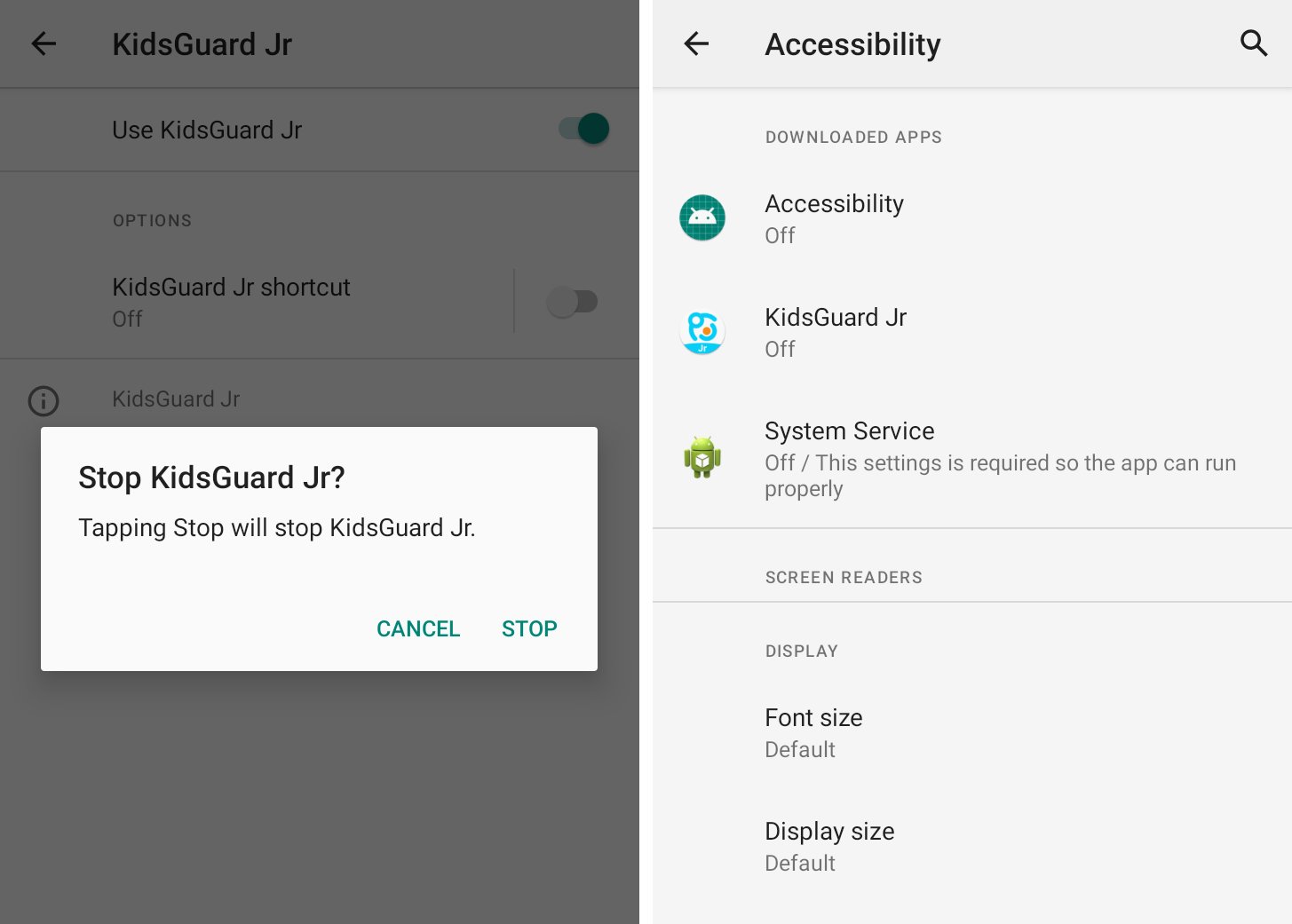
Review the list in your Android settings. If you find unfamiliar services enabled, toggle them off immediately and uninstall the associated application.
Monitor Notification Access
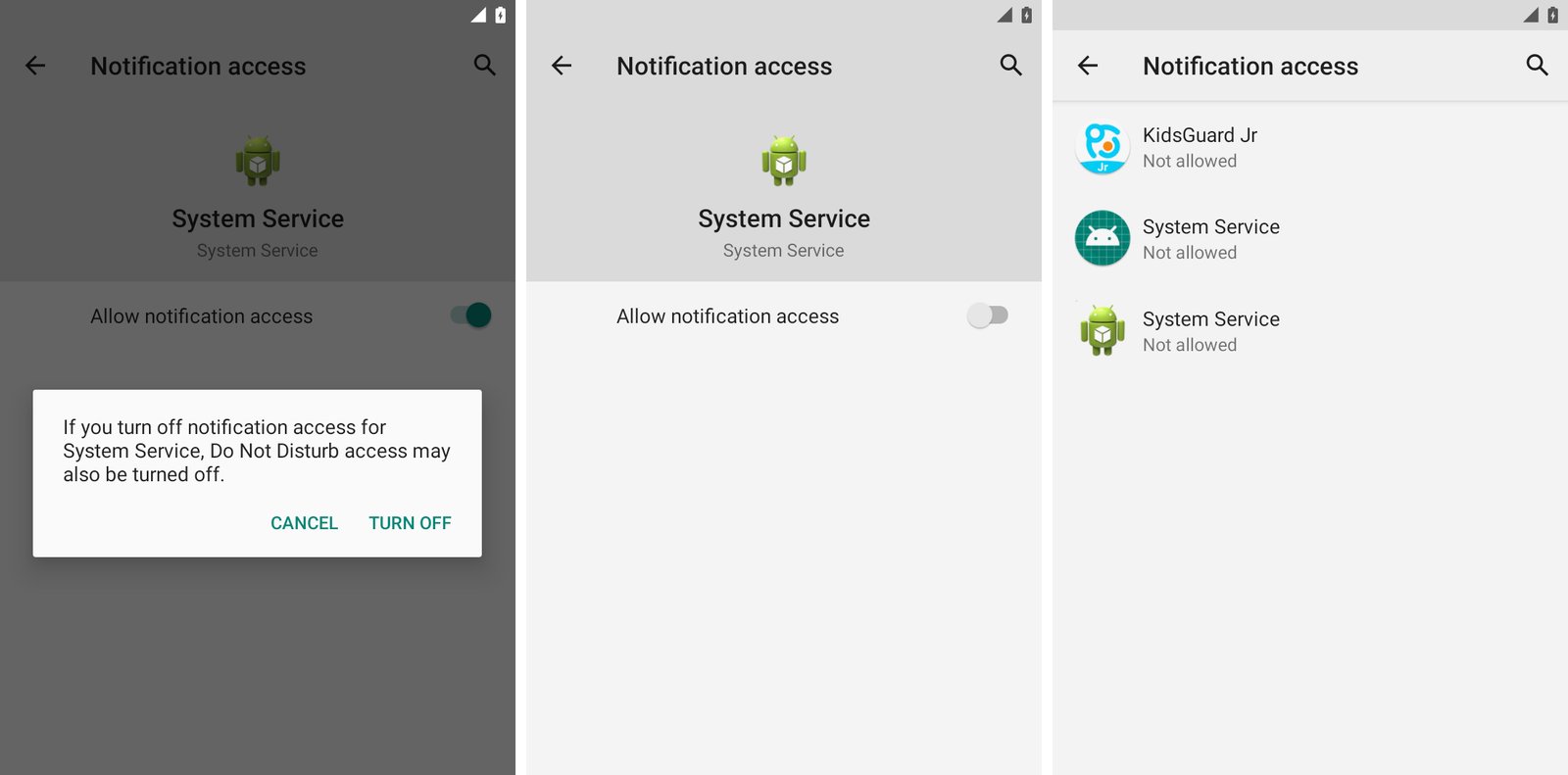
Granting notification access allows third-party apps to read your messages and alerts in real-time. Navigate to “Special app access” in your settings to view which apps have this privilege. Disable access for any app that you do not explicitly recognize or trust.
Inspect Device Admin Apps
Device admin privileges grant apps broad control, including the ability to lock your screen or wipe data. These are often used by corporations, so they are rare on personal devices.
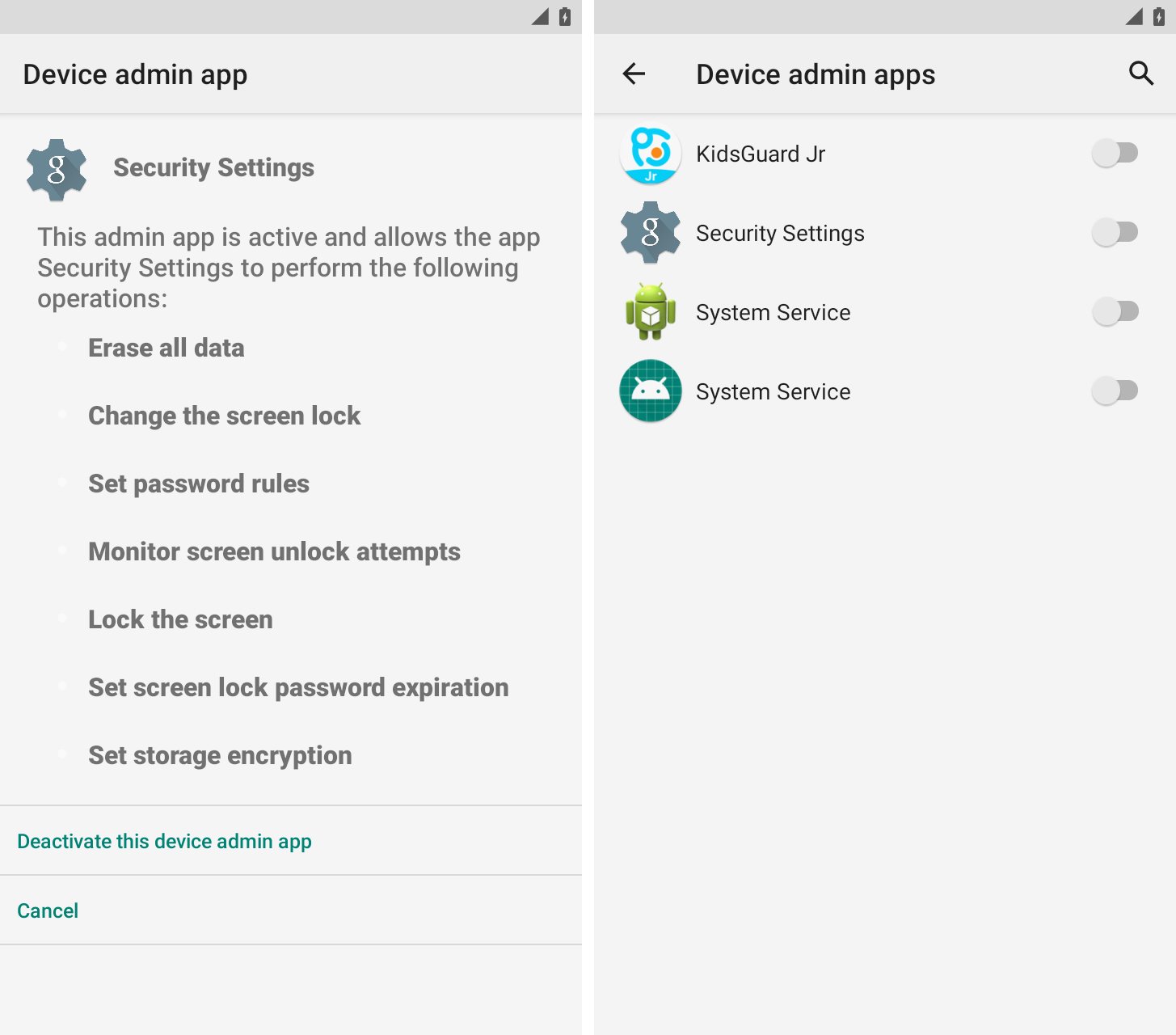
Check your security settings for any active device admin apps. If you see names like “System Service” or “Device Health,” these are likely malicious.
Uninstalling Malicious Apps
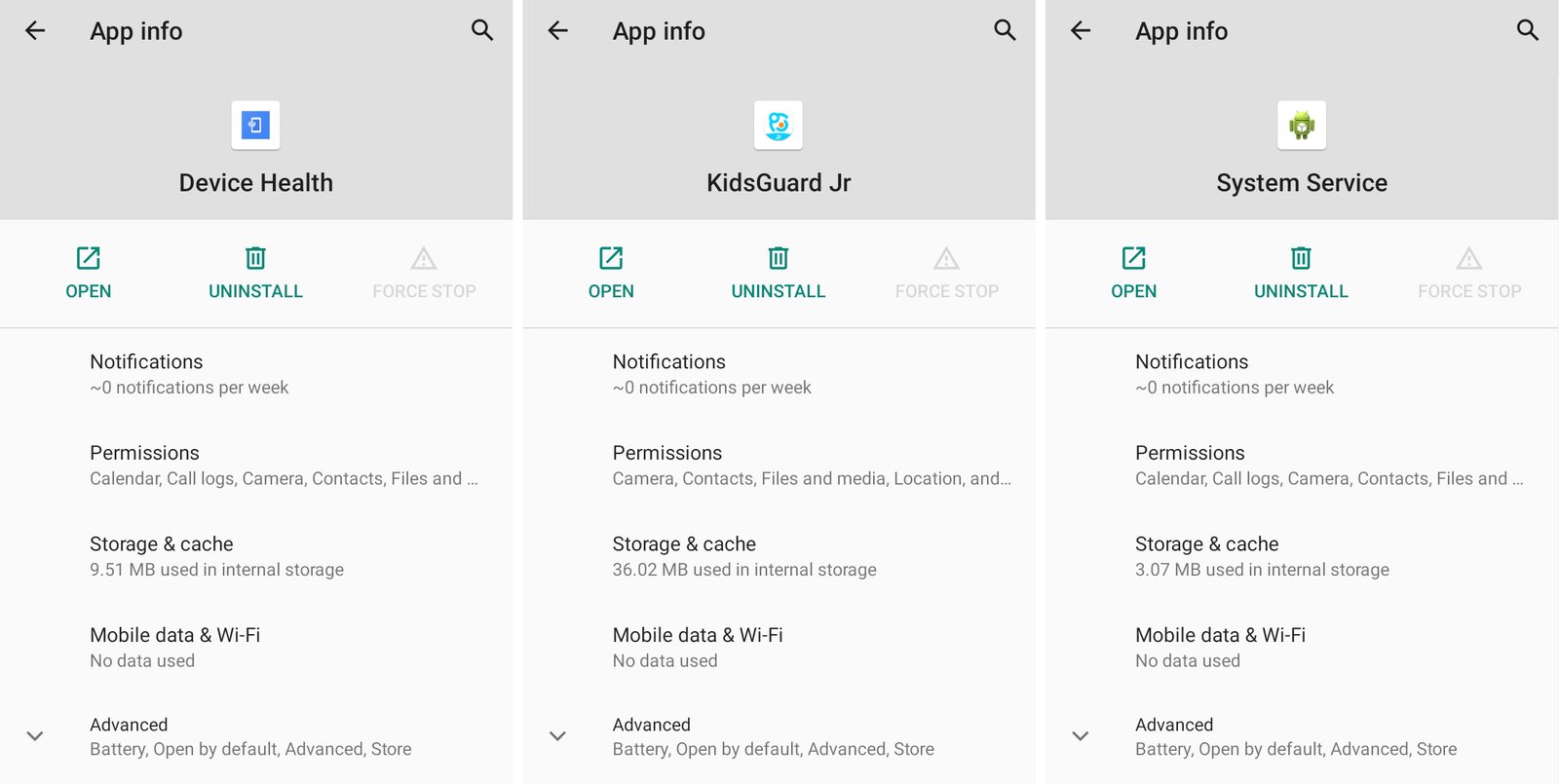
Even if an app is missing from your home screen, it will appear in your full application list. Check your settings for apps with suspicious names or those requesting excessive permissions (camera, location, contacts).
Securing Your Future
To prevent re-infection, implement a robust screen lock and enable two-factor authentication (2FA) on all online accounts. If you are experiencing domestic abuse, contact the National Domestic Violence Hotline at 1-800-799-7233 or visit the Coalition Against Stalkerware for additional resources.