

Adobe is significantly expanding the artificial intelligence capabilities within Adobe Acrobat, introducing features that allow users to generate podcast-style summaries, automate presentation creation, and edit documents using simple text prompts.
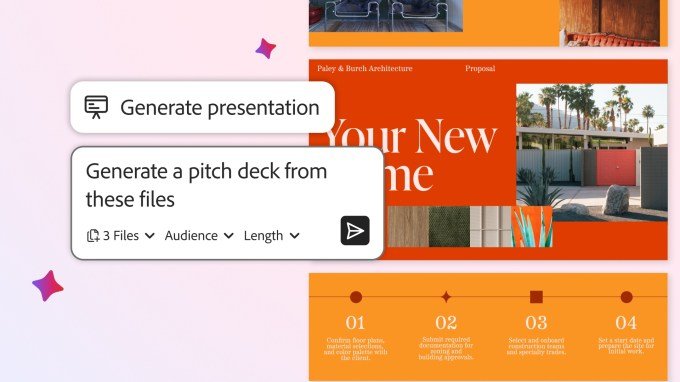
Transforming Documents into Presentations
Building on the PDF Spaces initiative launched last year, Adobe now enables users to synthesize information from collections of files and notes to build professional pitch decks. By using text prompts, the AI assistant generates an editable presentation structure.
Once the foundation is set, users can integrate Adobe Express to customize the deck. This workflow allows for the inclusion of stock photography, personal images, and brand-specific themes, ensuring that AI-generated content remains aligned with professional identity.
AI-Powered Editing and Summarization
Adobe is streamlining document management by introducing prompt-based editing. Users can now execute 12 specific actions through natural language commands, including:
- Removing pages, text, comments, and images.
- Searching and replacing specific words or phrases.
- Adding security layers such as passwords and e-signatures.
Beyond editing, Acrobat now features a podcast generation tool. This function creates audio summaries from files or entire Spaces, positioning Adobe to compete with existing tools like Google’s NotebookLM, Speechify, and ElevenLabs’ Reader app.
Enhanced Collaboration and Custom Assistants
Collaboration within shared files has also received an AI upgrade. Shared documents now feature AI-generated summaries with direct citations, allowing contributors to verify facts against the original source material. Participants can comment on files or modify content directly within the shared environment.
Furthermore, Adobe has introduced role-based AI assistance. Users can toggle between personas—such as “analyst,” “entertainer,” or “instructor”—or define a custom assistant through specific prompts to tailor the AI’s output to their unique project requirements.